Tuesday, 29 January 2013

Digital Skills-Week 3

Moving on from Photoshop, our next digital skills lecture covered the basics of Illustrator, using the pen tool, selection tools, stroke and fill, gradients, shapes, and importantly, the difference between Vector and Pixel images. Vector being images that do not change quality when scaled due to them not being made up of pixels.

Fortunately for me, I feel much more comfortable in Illustrator then I do in Photoshop, especially with the Pen tool which took up the vast majority of this exercise. Unlike the previous exercise, placing the image in situ took the addition of a few more technique that were previously taught in Photoshop. Using the warp tool I could bend the image to the shape of the page and using clipping masks and gradients I could add a shadow and lighting effect to make the piece look more realistic.

Friday, 25 January 2013

Digital Skills-Photoshop Tutorial

In an attempt to further better my skills in Photoshop, I felt it necessary to complete an online tutorial to both, learn new skills and reinforce those skills that I have recently learned. This tutorial covered many of the skills I had previous been taught such as clipping and layer masks, adjustment layers, levels, gradients etc, but also showed me new skills, using the pen tool to cut out shapes, the uses of different blending modes and using shapes in more creative ways.

Tuesday, 22 January 2013

Digital Skills-Week 2

This week in my digital skills sessions, we looked at layer masks, the useful rule of 'White Reveal, Black Conceal' (even if it is rare I remember that the correct way around), gradients, adjustment layers, the pen tool, blending modes and the warp tools.
Clearly I was not overly focused on the actual aesthetic outcome of this exercise, I more used this to acclimate myself with some of these unfamiliar tools. Using clippings masks, I was able to arrange the different photographs of people in this overlapping fashion. The gradients are fairly self evident, and the adjustment layers came into play when reducing the saturation of the photographs. Using the pen tool and the brush tool I was able to create the heart shape, despite being pretty unsuccessful, that process definitely has potential the more practice I have with it.
Using the skills we had learned from the previous exercise, we were tasked with replicating a piece of work one of the lecturers had prepared with the added task of using the transform tool to try and place it in situ successfully. This was a great success for me, not because I am pleased with the end result, but more that I was able to recall the skills I had recently learned and was able to apply them in a practical exercise.

Tuesday, 15 January 2013

Digital Skills-Week 1

After the Christmas holidays and some weather troubles, we are now starting out next brief, Digital Applications. Quite different from my previous modules this year, the way this brief will work is that, each twice a week will, as a class, will be taught several techniques in Photoshop and Illustrator which we will screenshot and annotate in an InDesign template that we have been provided with. This template, come the end of the module, will be printed and handed in for submission. 
For this first week, we looked at many of the basic tools used in Photoshop, and how and where to use them. Fortunately for me, I am not very proficient with Photoshop so this was a great learning experience for me.
Firstly, we were taught a range of skills for touching up an image, adjusting levels to change the intensity of the darks, lights and midtones, using the burn tool with a soft brush to make the lips darker and selecting areas like the teeth and using the the hue and saturation colour channels to change the colour pixels in that area.
We then looked at using blending modes and gradients together to change an image more dramatically.
We looked at using the replace colour options to change the colour of a background without changing the shadows present or going anywhere near the brush tool.
We were then shown how to create the popular over exposed look by changing the levels of an image dramatically.
We also taught how to use clipping masks in a basic way and the were taught about the 'Colour' blending mode, a mode which only effects the colour pixels in an image.
After that we were shown the basics of creating our own brushes, and that the brushes panel, however daunting it may first seen, is actually quite simple to navigate.
Next we were shown how to use the Magic Wand and Quick Selection tool to remove an object or shape from its background so that it can be moved separately on to a new document or manipulated on its own.
Lastly, using many of the techniques we were shown, we created the basic elements for an Absolut Vodka poster.

Monday, 10 December 2012

Alternative Techniques-Blaydon Tennis Club

Given the short space of time I had available after producing a range of initial ideas and development, I feel the final pieces I created were quite suited to their task, one of which I personally prefer much more then the other. As a brief overall, including my Harbour House work, I feel this is one of my more successful briefs. In terms of research I have delved much deeper into the area I am working in giving me a greater understand of what is suitable and aiding my initial ideas generation. Particularly in my Harbour House work, I have been able to produce a wide range of ideas based on my research and have applied in different formats suited to the field of branding.
My first final piece, the one I prefer less, was my type based. Normally not one for typographic work, I thought that I would give myself a small challenge by forcing myself to work out of my comfort zone. So I dabbled, very simply, in the creation of a font using, predominantly, the shape tools and the pathfinder functions. While I quite like the font I have created, as an overall piece, I was left feeling quite disappointed by the result, perhaps had it been placed in situ somehow, it may have looked more suitable, but it is unlikely. Quite simply, it's too simple, I do not mind the style of the font, but on it's own, it lacks any real impact.
This logo, on the other hand, I found myself surprisingly pleased with. Created using Illustrator, I used a few more unfamiliar, yet useful techniques, such as offset path, rotate tool and textures (though they are much easier to apply in Photoshop). Removing the lack of impact issue present in the previous final piece, this logo is an instant improvement. The main issue I have with this logo is the crossed rackets in the background. This is something I thought about before I did my second set of research, finding that the Wimbledon logo shares this as well, despite this I decided to take this forward, because frankly, it was one of the only things I really wanted to take forward from my ideas. In the end I feel the whole thing works however and shows developed skill on my part, being able to apply smaller details that might be individually overlooked but together help to create a successful final piece, such as the text in the center green circle of the gradient in the outer ring.

Monday, 3 December 2012

Alternative Techniques-Part 2

Once I finished my placement, I found I still had a couple of weeks to go before the deadline for this brief, so it seemed necessary, as I had not been able to really document the creative process for the Harbour House brief, so complete another branding brief, clearly showing, research, initial ideas, development and final ideas.
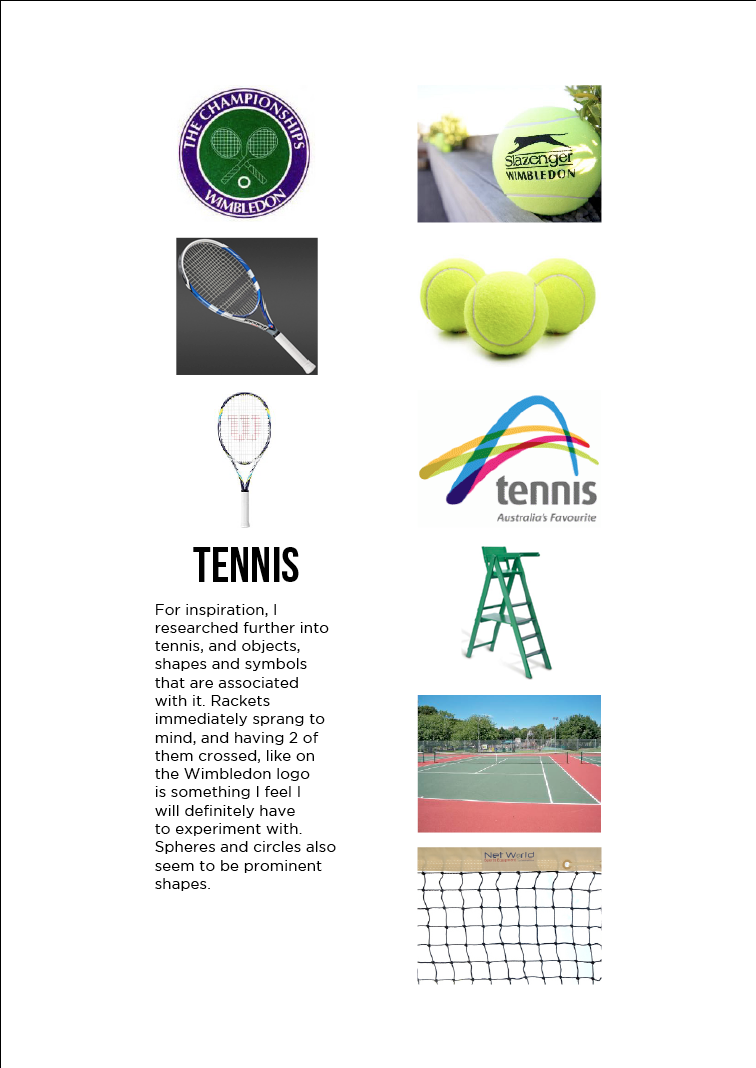
Having chosen a brief I was provide with from my lecturers, designing a logo for Blaydon Tennis Club, I felt that, in addition to my previous branding research, I would add some into sports logos and objects associated with the sport of tennis. The poor quality of logos specifically for tennis that are present now gave me some hope that I might be able to create something that stands out, though, that being said, I was struggling to think of logo ideas that clearly should it represents tennis.

Monday, 26 November 2012

Alternative Techniques-Harbour House

Using Illustrator I was able to create all of my logo ideas for Harbour House. The client had said that they liked the use of negative space in logos, and so I thought I would focus on that as a starting point. Clearly my first idea was far more successful then my second. Playing on the House part of the company name, I used the direct selection tool to manipulate a H into a house structure, and then used the shapes tools and pathfinder tools to create a small door silhouette to complete the house as it was not very obvious that that is what I was going for without it.
I then looked into using basic shapes and type to create a clean, simple logo which I feel I did rather successfully, with the addition of a gradient to finish it off. I then returned to my first idea after thinking about trying to give the negative space house a 3D effect, and while I feel the result is not all that bad, the original idea is far superior.
I then created several ideas focusing mostly on the type, using different fonts and techniques to manipulate and create a range of different ideas.
Finally, I thought it would be worth exploring the use of shape in logos, and after some research, I saw that many shapes are created using the ellipse tool to create clean curves. Using this and the rotate tool, I was able to create two, very similar, ideas.
After I had create some logo ideas, I tool the best and placed them into different branding formats, such as, business cards, compliments slips and letter heads. The business cards I was especially happy with thanks to the ideas of having pieces cut out to give the business cards a unique aspect.
As you can see, my work placement gave me plenty of time to work on logo ideas and place them in different elements, experimenting with different ways to present them on said formats, which is something I rarely leave myself the time to do.

Work Placement-The Point Design

I have now finished my three week work placement at The Point Design and I have to say, it has been a very educational and insightful experience. First and foremost, I learned a great deal about the way the industry works within a company, how everyone collaborates on ideas and produce individual elements, bringing them together to create the final piece and how clients are handled, with much back and forth between client and designer.
I also learned some useful techniques within Photoshop, such as how to cut out images using the pen tool and how everything needs to be saved in terms of file sizes for the benefit of the client. I also had a lot of time to work on a branding brief for a company called Harbour House, all of which will contribute greatly to my Alternative Techniques university brief.
Overall I would say that my time spent on placement has provided me with invaluable knowledge about the world of industry and has helped prepare me for a future in graphic design.